
Getting started · Importer / Exporter / Freight forwarder
20DV, 40DV or 40HC? Choose around your cargo
Check internal space, door clearance, weight and loading access before ordering equipment.
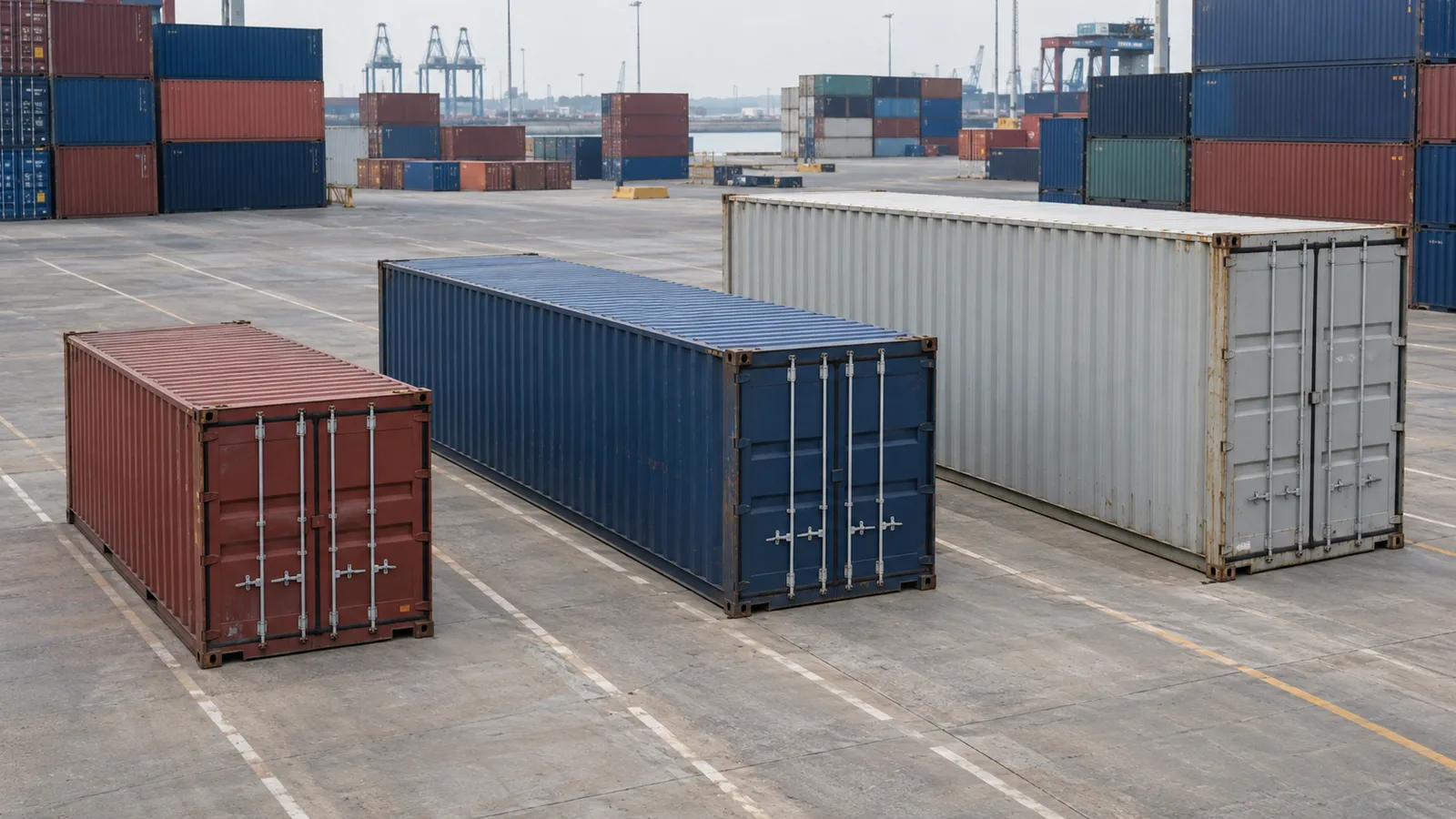
You can prepare a three-type container comparison and distinguish fit from shipment approval.
Choose a container around the constraint that could stop your shipment: package length, door height, floor space or weight. Total cubic metres alone cannot show whether cargo can enter the container and travel safely. Importers and exporters should check these points before ordering packaging and confirming the booking.
DV commonly describes a standard dry container; HC means high cube, the taller version. The numbers 20 and 40 refer to nominal length in feet. They are not usable internal dimensions. A loading plan needs internal measurements and the door opening.
Collect cargo, handling and route information
List the quantity, external length, width, height and gross weight of each transport unit. Include the pallet, crate, skid, projections and protective packaging. State whether each unit can rotate and whether it can support another package. “20 pallets” remains incomplete without those restrictions.
Then describe the loading operation. Confirm how cargo will pass through the doors, what handling equipment the warehouse uses and the space it needs to manoeuvre. A crate narrower than the interior may still be impossible to place with the available forklift. Allow room for securing materials as well.
Finally, check the whole route: equipment availability, road restrictions, chassis capacity, terminal handling and access for unloading. For heavy cargo, the inland leg may constrain the decision before the container runs out of space.
Use catalogue figures as a starting point
These selected Hapag-Lloyd figures were checked on 13 September 2026. They do not identify the container allocated to your booking.
| Type | Internal length | Internal height | Door height |
|---|---|---|---|
| 20DV | 5900 mm | 2395 mm | 2292 mm |
| 40DV | 12032 mm | 2395 mm | 2292 mm |
| 40HC | 12032 mm | 2700 mm | 2597 mm |
The carrier notes manufacturer differences. The 40HC page also gives two internal widths: 2352 mm in the drawing and 2350 mm in the table. Do not resolve a discrepancy by rounding in the cargo's favour. Where millimetres matter, obtain confirmation for suitable equipment and operational clearance.
The extra height of a 40HC helps with tall units or approved stacking. It may offer little benefit if cargo must occupy one layer and floor space is the constraint. Empty space above cargo in a 40DV cannot necessarily be used without changing packaging.
Weight is a separate check
Container gross mass includes the unit and its contents. Tare is the empty unit's mass. Cargo, packaging and securing materials must fit the applicable limits, but subtracting tare from maximum gross mass is only part of the assessment.
Check weight distribution, local floor loads and every transport leg. A container twice as long does not have twice the payload allowance. Read the specific unit's data alongside carrier requirements and inland transport confirmation. If weight rests on a small footprint, investigate concentrated loads instead of using spare CBM, meaning cubic metres, as evidence of suitability.
Try the same shipment in the planner
This fictional example contains 10 identical non-stackable pallets, each 120 × 80 × 140 cm externally and 320 kg gross. Total volume is 13.44 m³ and total weight is 3200 kg. Height includes the pallet. Units must remain upright but may rotate on the floor.
Enter these data in Cargexo's planner and compare 20DV with 40DV using the same cargo list. Check loading order, unused space and access to the units. Then change only the permitted rotation. The arrangement can change while total CBM stays identical.
The planner checks geometry using your inputs. It is not a securing design, packaging strength assessment or shipment approval. The warehouse must confirm that the loading operation is practical; competent people must confirm safe distribution and securing. Before ordering larger equipment because one automatic arrangement leaves space unused, check the input restrictions too.
Equipment confirmation checklist
- Measure finished packages, including pallets and projections.
- Record rotation and stacking restrictions.
- Check door clearance and handling and securing space.
- Compare weight and load distribution with the whole route's limits.
- Confirm that the chosen equipment type is available for loading.
- Separate catalogue values from values confirmed for the allocated unit.
- Send the final plan to the warehouse and confirm how it will be carried out.
Repeat the check if packaging changes or the supplier adds another pallet. An earlier confirmation applies to the earlier cargo data.
Related guides: Loading plan ·
Sources and scope
- Hapag-Lloyd — 20′ StandardSource checked: 2026-09-13
Example from this carrier’s fleet; manufacturers vary. Catalogue interior and door dimensions support the comparison; confirm the actual allocated unit.
- Hapag-Lloyd — 40′ StandardSource checked: 2026-09-13
Example from this carrier’s fleet. Greater volume does not imply twice the payload; catalogue dimensions need confirmation for allocated equipment.
- Hapag-Lloyd — 40′ Standard High CubeSource checked: 2026-09-13
Fleet example. Internal width differs between drawing (2352 mm) and table (2350 mm); clarify the discrepancy and allocated unit before planning a tight fit.
Editorial information
Author: WR
Published · Published: 13/09/2026 · Content updated: 13/09/2026